Welcome
ChatGPT, Claude, Gemini — these tools feel like magic. You type a question, and they respond with human-like text. But how do they actually work?
Most explanations fall into two camps: either "it's a neural network" (too vague) or research papers full of equations (too dense). This tutorial takes a different approach.
Who This Is For
This tutorial is for developers who want to truly understand LLMs — not just use APIs, but know what's happening inside.
- You've used ChatGPT and wondered "how does this actually work?"
- You've heard terms like "transformer" and "attention" but they're still fuzzy
- You want to understand AI deeply, not just superficially
- You learn best by building, not just reading
What Makes This Different
Instead of explaining transformers abstractly, we'll build a working LLM together. A small one — but using the same core architecture that powers ChatGPT.
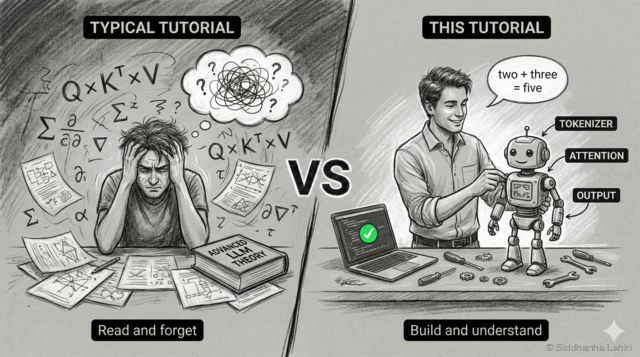
By the end, you won't just know what a transformer is — you'll know why each piece exists, because you'll have built each piece yourself.
Vibe Coding Friendly
Got access to Claude Code, Cursor, or similar AI coding tools? This tutorial is designed for you.
- Copy-paste friendly — all code blocks are ready to run
- Ask your AI — "explain this attention code" or "what if I change the embedding size?"
- Experiment freely — break things, ask why, fix them
What You'll Build
We'll build a calculator that understands English — using the same transformer architecture that powers ChatGPT:
Input:  "two plus three"    →  Output: "five"
Input:  "seven times eight"  →  Output: "fifty six"
Input:  "nineteen minus four" →  Output: "fifteen"
Sounds simple? It requires the full transformer architecture: tokenization, embeddings, attention, training, generation — everything that makes ChatGPT work.
How It Compares to GPT-4
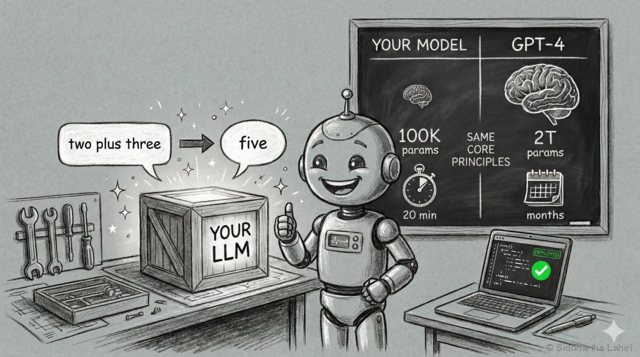
| Spec | Our Model | GPT-4 |
|---|---|---|
| Parameters | ~50,000 | ~1.7 trillion |
| Embedding dim | 64 | 12,288 |
| Attention heads | 4 | ~96 |
| Layers | 2 | ~96 |
| Vocabulary | ~30 words | ~100,000 tokens |
| Training time | 5-10 min | Months |
Why a Calculator?
Why use a neural network for math that a $2 calculator does better? Because math has objectively right and wrong answers — making it perfect for learning:
- Instant feedback — if the model says 2+2=5, you know it's wrong
- Small vocabulary — only ~30 words vs GPT's 100,000 tokens
- Trains in minutes — not days or weeks like real LLMs
- Runs anywhere — your laptop is enough, no GPU required
Scope & Limitations
Our calculator is intentionally limited — these constraints make learning easier:
| ✓ Can Do | ✗ Cannot Do |
|---|---|
| Numbers 0-99 | Numbers above 99 |
| Single operations (+, -, ×, ÷) | Chained operations |
| English words in/out | Digits or symbols |
Try It Right Now
Here's the finished model running on Hugging Face. This is exactly what you'll build:
Try the live demo →